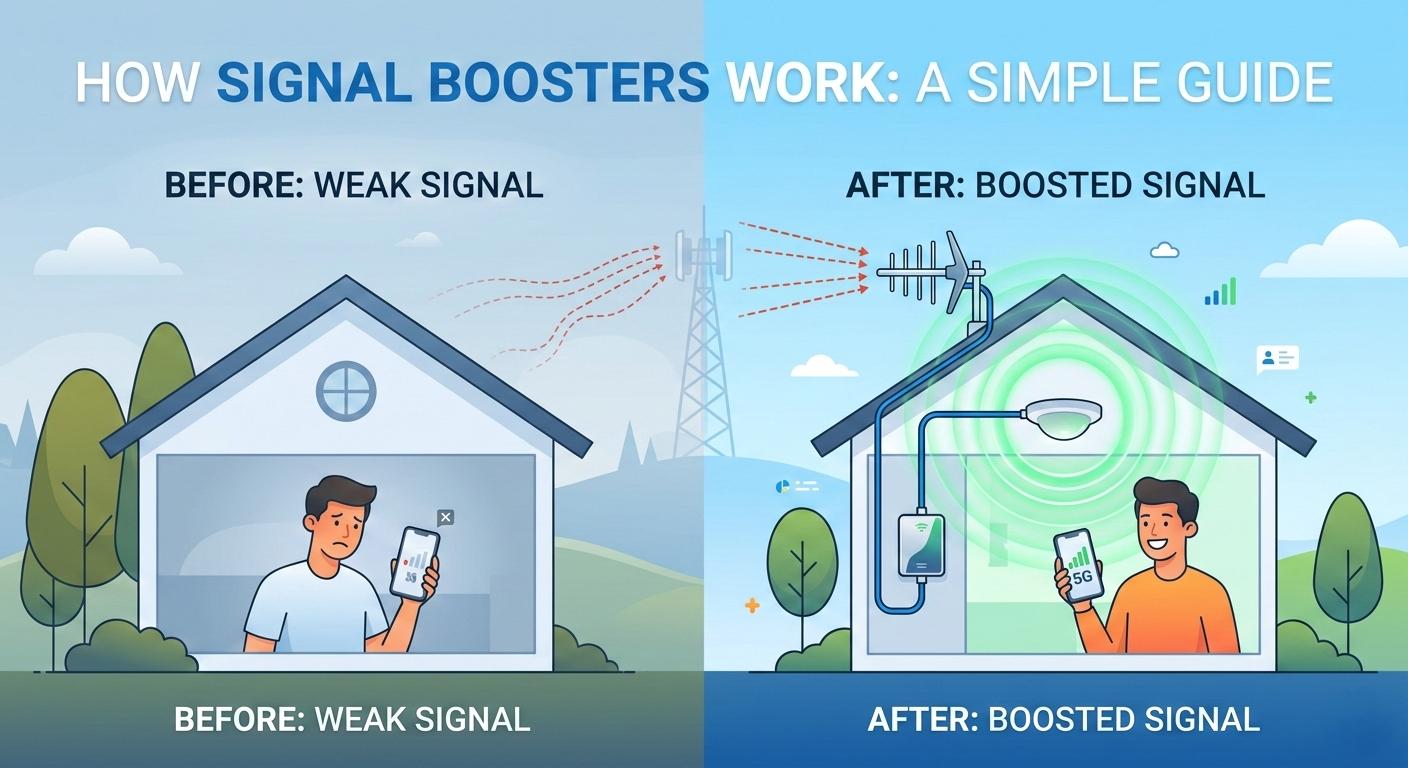
This is quite different from Wi-Fi adapters that boost the signal speed of your internet router or other devices; we are specifically talking about boosting cellular signals. The signals that carry voice messages and data from towers to your phone.
What's Actually Inside These Things
To understand how a signal booster works, you simply need to know its basic components; the structure of most signal boosters is quite similar.
The outdoor antenna is the component installed outside the house that captures signals from nearby towers; it either targets a specific tower or receives signals from all directions. In either case, its function is to pick up any available external signal, no matter how weak it may be.
The second component is the amplifier. The amplifier is the heart of the system; it cleans up weak signals and boosts their strength. Different boosters amplify signals with varying capacities, measured in decibels (dB). You don't need a deep technical understanding of this; simply think of it like a volume knob: 50 dB represents medium volume, while 100 dB is loud volume. However, keep in mind that you need the right level of amplification, not necessarily the maximum.
The third component is the indoor antenna; it receives the amplified signal and broadcasts it inside your room. Depending on the specific model and layout, this could be a small dome on the ceiling or a panel on the wall. It is a simple device, it merely distributes the signal coming from the repeater throughout the indoor space.
Next are the cables. Cables are used to connect these three major components; since poor-quality cables degrade overall signal quality, high-quality cables are considered preferable. Then there are smaller components, such as connectors—used to link the cables and other parts—and finally, the power supply, which is used to power the repeater.
How This Actually Works Step by Step
It's a pretty straightforward process. The outdoor antenna picks up the cellular signal from the nearest tower. Even if the signal is crazy weak something that shows as barely one bar on your phone it can work with it. The only time it doesn't work is if there's zero signal to begin with.
That weak signal gets sent to the booster unit, which amplifies it. Both the uplink signal (your phone talking to the tower) and the downlink signal (tower talking to your phone) get boosted. The booster doesn't create anything new, it just strengthens what's there. Most home boosters do this instantly without any noticeable delay.
The amplified signal goes to the indoor antenna, which broadcasts it throughout your space. Your phone and everyone else's phone now sees a much stronger signal than before.
Because your phone detects this stronger signal, you immediately notice the difference. Clearer calls. Faster data. Better stability. Less battery drain because your phone isn't working as hard to maintain connection. It all happens automatically, you don't do anything once it's installed.
Different Boosters for Different Situations
Home and apartment boosters are what most people need. They're compact, don't require roof access, cover 1,000 to 5,000 square feet, cost ₹14,000 to ₹20,000. Installation is usually straightforward. Just mount an antenna near a window, plug in the main unit, maybe run a cable or two. Done.
Office and commercial boosters are bigger and more powerful. They handle 5,000 to 10,000+ square feet, cost ₹14,000 and up, and might need professional installation especially if you're dealing with multiple floors or large spaces.
Vehicle boosters exist if you spend a lot of time in a car. They use magnetic antennas on the roof. Not most people's problem but worth knowing they exist.
Portable battery-powered boosters sound good in theory but honestly? They're underpowered for most real situations. Skip these unless you really need something pocket-sized.
What You'll Actually Notice once It's Installed
Dropped calls usually go away. If you're always losing calls in certain parts of your home or office, a booster solves that immediately. The people on the other end can actually understand what you're saying. It's a bigger improvement than you'd expect.
Data gets faster. YouTube buffers less. Web pages load quicker. Apps that keep timing out suddenly work. It's not subtle.
Dead zones disappear. That corner of your bedroom where signal always dies? Or your bathroom where data never works? Much better now.
Your phone doesn't drain battery as fast. When signal is weak, your phone works harder to maintain connection, burning more power. Stronger signal means your battery lasts longer.
As carriers shift to 4G and 5G, your booster ensures you actually get those faster speeds instead of just hearing about them in marketing materials.
The Honest Limitations
Boosters can only amplify signals that exist. If there's zero signal outside, a booster can't help. That's a hard limit. Before you spend money, test your actual outdoor signal with a real app. Not bars, actual dBm numbers. If you're below -120, a booster might not help enough to be worth it. If you're -110 or better, you'll see real improvement.
Jio, Airtel, and Vi all use different frequency bands. Your booster needs to support your carrier's specific bands. Some boosters work with all carriers, some don't. Check this before buying.
Installation quality matters a lot. A booster in a bad location works poorly. Same booster with thoughtful placement works great. This is where DIY can save money or cost you money depending on whether you think it through.
You need certified equipment, especially TRAI-certified in India. Uncertified boosters can actually cause interference problems. That's why we always say buy from reputable sellers, not mystery boxes from shady Amazon listings.
Installation - It's Actually Not That Bad
For basic home setups, you can do this yourself if you're comfortable with simple tech. The main things that matter:
Place your outdoor antenna high up where it has the best view of the cell tower. A window sill works. A balcony railing is better. A rooftop is ideal. The clearer the "line of sight," the better it works.
Keep your outdoor and indoor antennas far apart. Different rooms is ideal, different floors is even better. If they're too close, the signal bounces back and forth uselessly. This is called feedback and it ruins everything. 20 to 30 feet separation is realistic and effective.
Use good cables. Cheap cables actually degrade the signal. Spend the extra money here.
Don't hide the indoor antenna in a cabinet. It needs to broadcast openly. And don't jam the booster unit into a tight space—let it breathe.
Professional installation makes sense if you've got a complex situation or if you're just not comfortable doing it. Otherwise, a YouTube video and 30 minutes is usually enough.
Bottom Line
Signal boosters work through a pretty straightforward process: capture weak signal, amplify it, broadcast it. They're surprisingly effective for the right problem. If you have weak cellular signal at home or in your office, they likely solve it. If you have zero signal, they won't help. If you have okay signal that you want faster, they help with that too.
The key is buying certified equipment from reputable sellers, understanding your specific signal problem, and installing it thoughtfully. Do those things, and you'll probably wonder why you didn't get one sooner.
Want to know if a booster will actually help your situation? Contact us for a site survey. We'll test your signal, assess your space, and tell you honestly whether a booster is worth it for you.